Two-factor authentication (2FA) in SSO
At TU Dortmund University, the use of a second factor (2FA) for logging in to the central login server (SSO) has been gradually introduced since the 4th quarter of 2024. Basic information on the central login server can be found here.
For the second factor, the TOTP method is used, in which the second factor is generated in an authenticator app. This second factor changes based on time (after 30 seconds) and must be entered after successful registration each time you log in to the central login server in addition to the known access data (UniAccount / password).
Registration of the second factor
The second factor can be registered as part of the regular login process. Below you will find instructions that will guide you step by step through the registration process.
Selection of the authenticator app
The second factor is generated by an authenticator app. The following options for generating the second factor are recommended by the ITMC:
-
Android smartphone
Click here for more information!
For Android smartphones, the ITMC recommends the 2FAS Auth app .
Scan the QR code on the right with your smartphone to access the Google PlayStore page.
Information on how to use the app can be found on the FAQ page.
-
Apple Smartphone
Click here for more information!
For Apple smartphones, the ITMC recommends the 2FAS Auth app.
Scan the QR code on the right with your smartphone to access the Apple iOS Appstore page. Link
Information on how to use the app can be found on the FAQ page.
-
Desktop app (Windows)
Click here for more information!
For MacOS-based devices, the ITMC recommends either the Passwords app integrated into the operating system or the Step Two app.
To use the Step Two app, click on the corresponding link on the right to go to the App Store.
Information on using the apps can be found on the FAQ page.
-
Desktop app (MacOS)
Click here for more information!
For MacOS-based devices, the ITMC recommends either the Passwords app integrated into the operating system or the Step Two app.
To use the Step Two app, click on the corresponding link on the right to go to the App Store.
Information on using the apps can be found on the FAQ page.
Further information / FAQ
Carrying out the registration
-
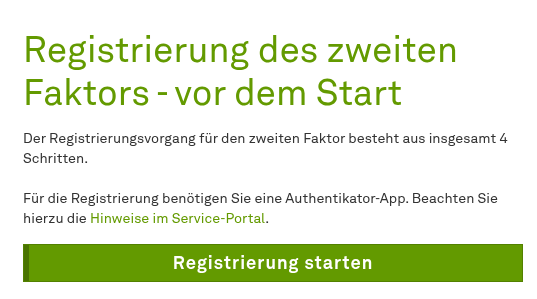
Note before starting the registration
You start the registration as part of the regular login process (e.g. for Moodle or Confluence). After logging in with your Uniaccount / password, click on the Continue to registration button.
To start the registration process, you need access to the Authenticator app.
-
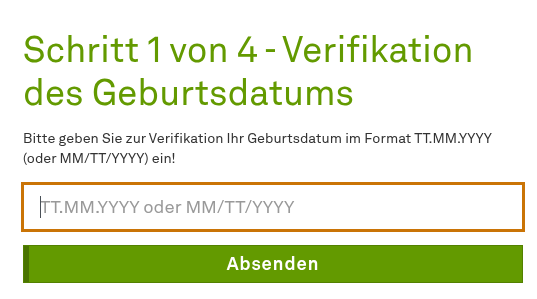
Step 1 of 4 - Verification of the date of birth
Identify yourself by entering your date of birth.
-
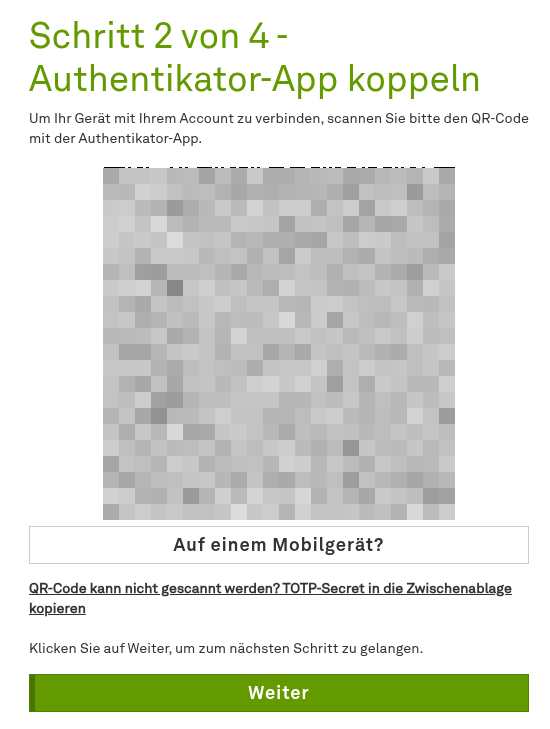
Step 2 of 4 - Pairing the authenticator app
Now scan the displayed QR code with your Authenticator application.
-
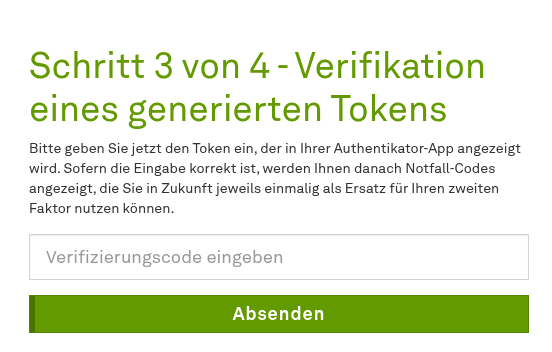
Step 3 of 4 - Verification of a generated token
After successful setup, enter the token displayed in your authenticator app in this step.
-
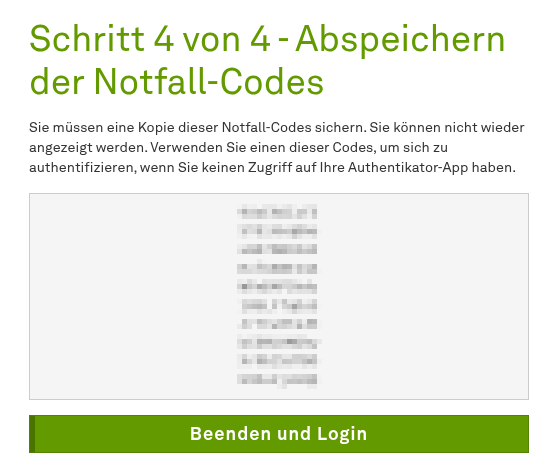
Step 4 of 4 - Saving the emergency codes
Copy the ten emergency codes and either save them on an external storage medium (e.g. USB stick) or print them out and carry them with you. You can copy the emergency codes by first selecting them with the mouse and then copying them to the clipboard using the context menu (right mouse button).
Further information on the emergency codes:
- Emergency codes function as a "second factor for emergencies", e.g. if the smartphone is defective and the authenticator app is no longer available
- They are comparable to the old TAN list for online banking
- Each of the ten emergency codes only works once
- For security reasons, the emergency codes should not be saved on your computer in the typical formats (text file, Word, PDF, Excel, etc.)